WPUGPH · 2026
WordPress AI
Workflows
Jerico Aragon · Cloud Engineer, Human Made
How many here have had their
WordPress site hacked?
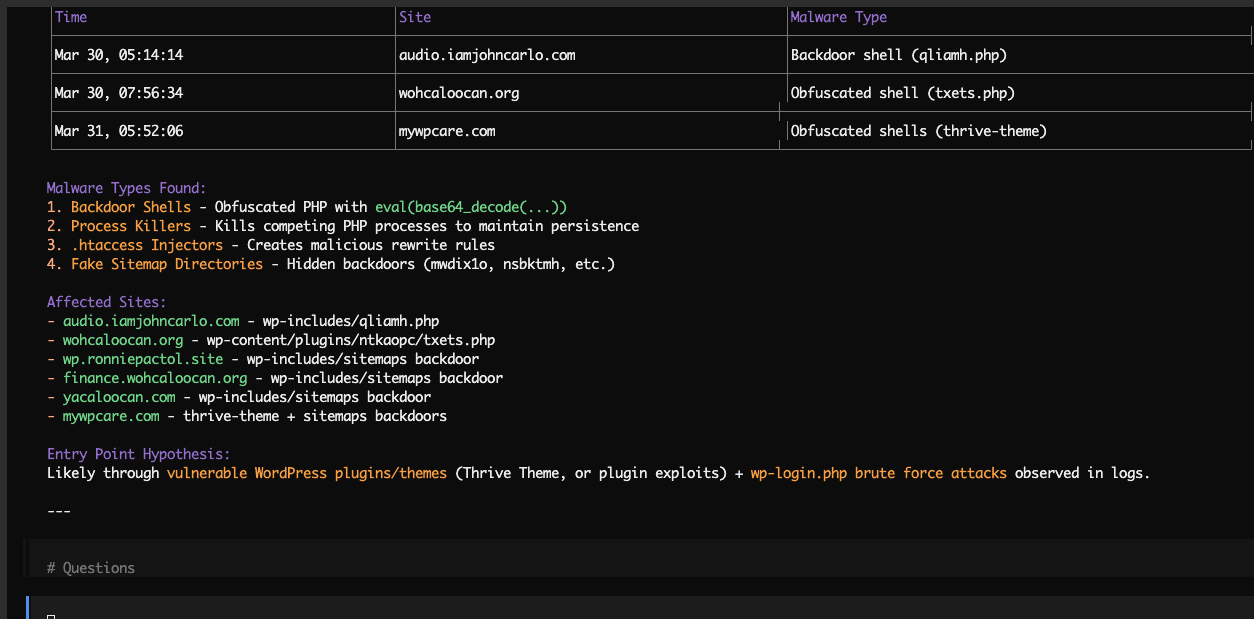
A friend's server got infected by malware and asked me:
"what do you use to clean a server?
tried ClamAV in the terminal but it didn't clean ours"
I told him to install opencode instead.
The agent didn't just fix. It explained.
Anything you can do on a computer,
an agent can do it for you.
(it's only a matter of access and risk appetite)
Levels of Adoption
Haven't tried.
Using AI as a better search engine.
Regularly using it. Manual copy-paste of data.
AI connected to my tools and data.
Agents running on my behalf without me asking.
I define the goal. The system handles everything else.
Quick show of hands — where are you?
Live Demo · Prompt 1
Content strategy gaps
Live Demo · Prompt 2
Build a Gutenberg block
Live Demo · Prompt 3
Reviewing a PR
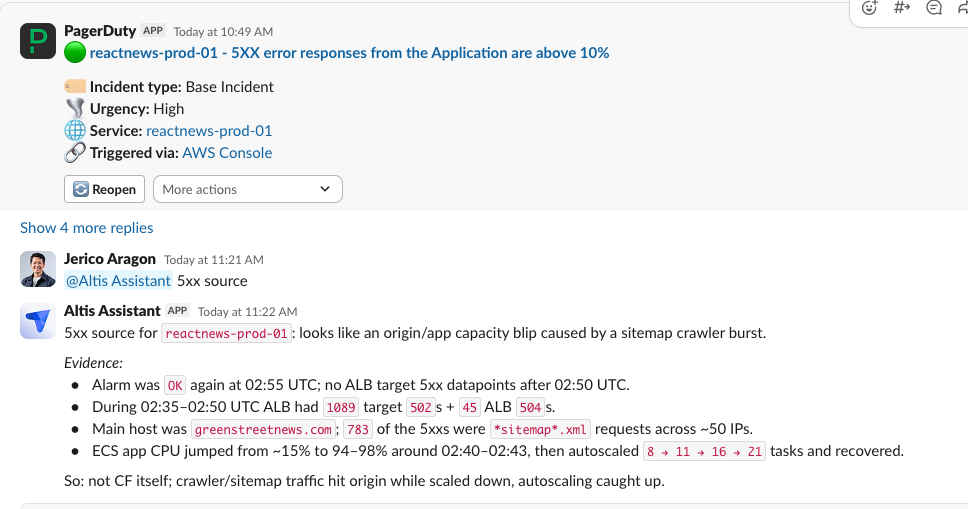
How we use an AI agent at work: Altis Assistant
Altis Assistant · How it works
Slack
@mention in any channel
question ▶
◀ reply
Altis Assistant
Support & Incidents
🎫
Zendesk
Tickets
🚨
PagerDuty
Incidents
⚡
incident.io
Incident mgmt
AWS Infrastructure
☁️
CloudWatch
Metrics & alarms
🖥
ECS / RDS
Compute & DB
🔍
X-Ray / S3
Traces & storage
Platform Tools
🐙
GitHub
PRs & issues
🛠
altis-cli
Logs & deploys
📊
Dashboard API
Stack info
🗺
Terraform
Infra configs
Things to keep in mind
You can get by without understanding it.
But you shouldn't.
When things go wrong, understanding is what helps you ask the right questions.
Not understanding is just building on shaky ground.
Things to keep in mind
Don't let it think for you.
Assert yourself.
Your taste, your judgement, your experience. Put it in the prompt. Steer it to your vision.
What sets your work apart is you.
If you don't, it'll be any other AI slop you'll see in the wild.
Things to keep in mind
A computer can never be
held accountable.
Just because you used AI does not shield you from accountability.
Things to keep in mind
Using AI is a
self-discovery process.
I've seen how differently people use it. The variation is huge.
My job here is just to nudge you to start. Once you do, only you will know how it fits in your workflow.
Start here
Pick your first workflow
Repetitive
Something you already do every week.
Context-heavy
AI saves you setup, searching, or summarizing.
Low-risk
Easy to verify before it goes live.
Don't start with autonomy. Start with one task you already do every week.
Your Move
Pick one thing
to try this week.
Content writers
Ask AI to read your last 10 posts and find content gaps.
Site owners
Use the WordPress REST API. Connect an AI client. Ask it to list your draft posts.
Server folks
Next time you'd Google a command, prompt the problem instead.
Developers
Have AI review your next PR before you ask a human.
Pick the one for your job. Don't skip ahead.